

Software engineering moves at a brutal pace nowadays. Developers always race against a ticking clock. Hunting a missing semicolon takes forever. Scrolling through endless forum threads feels exhausting. Writing boring boilerplate code ruins your creative energy. Technical debt just piles up daily.
Have you ever wanted a smart digital co-pilot? Imagine an assistant handling the boring tasks for you. This allows you to focus on high-level design.
Modern automation has changed the game completely. Intelligent software does more than basic autocompletion now. These tools understand your true human intent. They refactor complex logic in seconds. They change how we build apps.
Shipping products faster requires the right setup. Using automated programming tools for faster software development is essential. It provides a massive competitive advantage. Let us explore the tools changing our industry. You will find the perfect match.
The Pioneers of Intelligent Code Generation
Choosing a digital companion depends on your tech stack. You must consider your unique security needs. Your daily integration habits matter a lot too. The market offers many options today. A few specific platforms stand out clearly.
GitHub Copilot: The Industry Standard
GitHub Copilot remains a top choice for teams. This tool is one of the earliest AI coding assistants. It learned from billions of public lines of code. The extension integrates directly into your favorite IDE. It offers real-time suggestions that feel magic.
It turns simple comments into working functions easily. And it handles repetitive blocks without any issues.
Engineering teams love this tool for daily output. Copilot acts as a tireless helper. It keeps you focused on your work. It minimizes annoying context switching every day. This keeps your fingers on the keyboard. It reduces your mental fatigue significantly, making it easier when optimizing your AI workflow integration across your entire development environment.
Cursor: The Next-Generation Code Editor
Cursor takes a completely different path than plugins. It is a standalone editor built for learning models. It treats your entire repository as a living asset. You can ask deep questions about your files. It tracks how different modules interact.
« Cursor does not just suggest lines of code. It understands your whole architecture instantly. »
This deep awareness helps with tricky bugs. It is one of the best developer tools for automated code debugging. Legacy systems become much easier to navigate. You can trace data flows immediately. This saves developers hours of manual work.
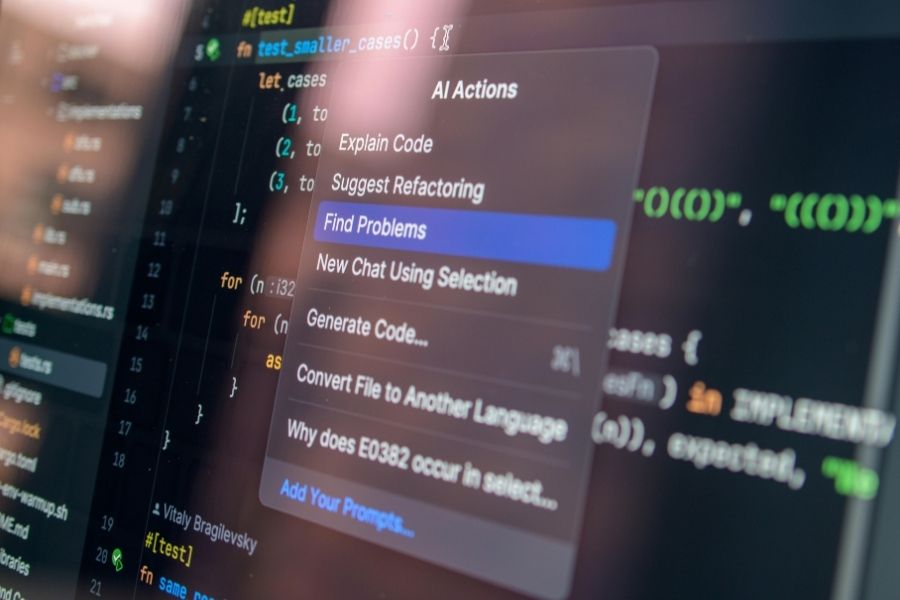
Redefining Workflow Efficiency
Intelligent tools do more than increase typing speed. They change how you solve daily problems. You worry less about basic implementation details. Your brain gets more room for creative engineering.
Streamlining Syntax and Formatting
Writing clean code is often a tedious chore. This is true when switching between multiple languages. Every language has different formatting rules. Modern assistants excel at improving programming syntax with smart software. They format blocks to match your style.
This automated check acts as a safety net. It stops poorly optimized loops from slipping through. Your editor becomes an active partner. It catches errors before the compiler runs.
Revolutionizing the Debugging Phase
Finding a hidden memory leak ruins your afternoon. It turns a good day into a puzzle. Modern tools fix this annoying issue. They turn debugging into a fast conversation.
You do not need manual print statements anymore. A developer highlights the broken block instead. You explain the bad behavior to the tool. The assistant gives you a fix fast. This loop slashes your QA time. Features move to production much faster.
Smooth Integration and Team Adoption
Introducing new tools requires a solid plan. Developers must actually enjoy using them. Seamless setup keeps your data safe. It multiplies your team productivity quickly, especially when adapting to the latest next-gen AI model releases in consumer apps that hit the market.
Finding the Right Workspace Fit
Maximizing your investment requires a smooth setup. You need to be integrating smart code tools into your IDE naturally. Good AI coding assistants offer very light extensions. They run quietly in the background. They do not drain your RAM.
A good tool feels like a natural thought. It should never feel like a pop-up blocker. Smooth interfaces make adoption easy for everyone.
Securing Your Intellectual Property
Enterprise companies prioritize data privacy above all. Security rules dictate which tool you buy. Many AI coding assistants offer business tiers. They promise never to use your data for training.
Tabnine and Codeium offer fully local deployments. Your sensitive files stay inside your network. This balances high speed with tight safety. Regulated industries can adopt these tools safely.
FAQ
How accurate are AI coding assistants when working with niche or legacy programming languages?
These models love JavaScript, Python, and TypeScript. Their accuracy drops slightly with older languages. If your repository has enough examples, tools adapt. They learn your custom syntax fast.
Can these automation tools completely replace junior software developers?
No, they cannot replace humans. Think of them as power boosters instead. They handle boilerplate code and fast debugging. They lack critical thinking and business vision. A human developer remains essential.
Do AI coding assistants introduce security vulnerabilities into the codebase?
They can suggest old security patterns sometimes. They learn from open internet data. That data might contain vulnerabilities. You must keep doing regular code reviews. Use automated scanners alongside your assistant.
How do these smart utilities handle complex architectural decisions?
Most tools work at the file level. They do not design massive structural systems. Editors can explain file interactions well. High-level design and cloud infrastructure still need human experts.
